

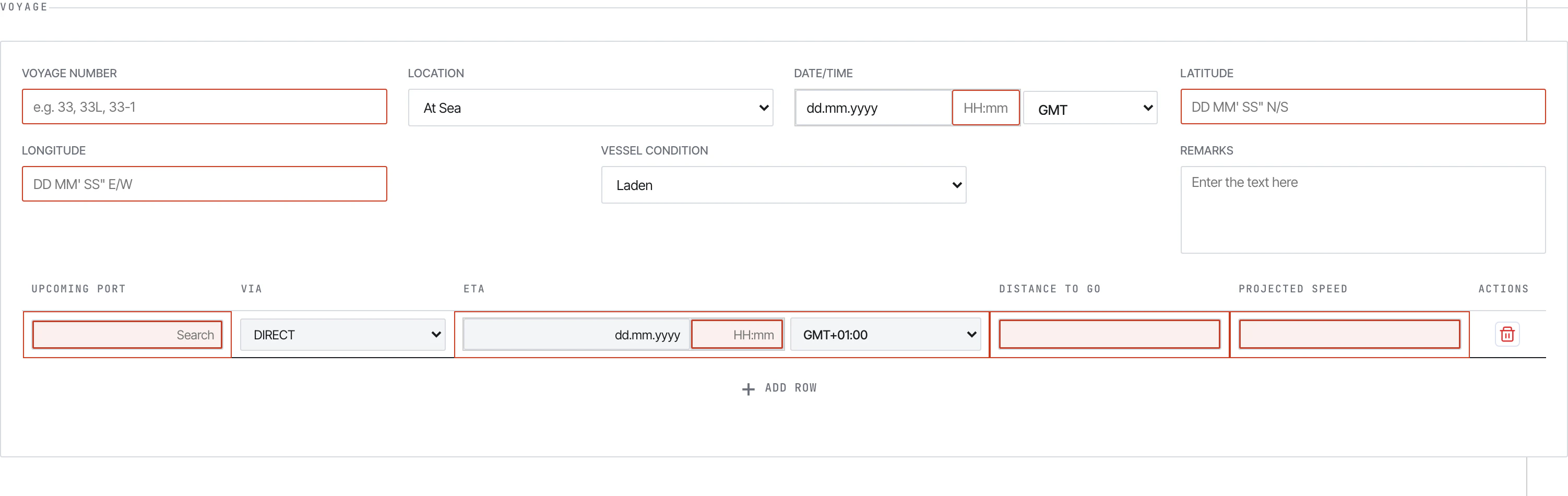
Noon Report — voyage section.
The report tabs
The left sidebar lists every report type the form supports:Layout
Every tab follows the same vertical layout:- Vessel block (pre-populated by the office) — IMO, vessel name, vessel code
- Voyage block — voyage number, location (At Sea / In Port), date/time + GMT offset, lat/long, vessel condition, port, ETA/ETD, ice/STS/refuge flags, remarks
- Distance and Vessel — CP speed, observed distance, engine hours, RPM, KW, generators, ME parameters
- Weather — wind, sea, swell, visibility, air/sea temperature, pressure
- Events — at-sea or in-port event blocks with per-fuel consumption breakdown
- Bunker ROB — fuel remaining-on-board summary by fuel type
- Technical Parameters — torque, exhaust gas temperatures, scavenge pressure, air-cooler temps
- Scrubber — operating mode and breakdown periods
- FOWE System — Fuel Oil Water Emulsion availability and usage periods
- Slops & Fresh Water — slop ROBs (water/oil), bilge, sludge, lube oils, fresh water
- Master’s name — first/last name signature
- Submit — at the bottom of every tab
Navigation
The left sidebar is the only navigation. Clicking a tab swaps the main content area. There is no pagination — the entire report scrolls in one continuous form. A gear icon at the bottom of the sidebar opens the Settings modal: vessel identifiers, validation limits, and the link tohistory.json. See Setting up history.json for the office and vessel setup steps.
What you see vs. what’s stored
The form has many hidden inputs the user never touches: principal ID, client IDs, form identifier, ref ID, isBarge flag, client name. These travel with the encrypted payload and let the pipeline route the submission correctly. Auto-calculated fields are read-only — the form computes them from your inputs:- Slip % =
(observed distance − engine distance) / observed distance × 100 - Reported Speed =
observed distance / steaming hours - Average RPM =
main engine revs / (main engine hours × 60) - Average KW =
main engine KWhrs / main engine hours - Mean Draft =
(fwd draft + aft draft) / 2
Browser requirements
- Chrome 86+ or Edge 86+ — required for the local archive (File System Access API).
- Firefox / Safari — the form opens and submits, but the archive feature is disabled because no other browser supports the FSA API.
File structure
The form is built from these embedded pieces (all inside the single HTML file):See also
- Filling reports — section-by-section walkthrough of each tab
- Submitting — the Submit modal, encryption, mail flow
- Validation — required fields, errors, validation limits
- Guidelines PDFs — what each of the seven guideline documents covers